A final showreel for my animations, with two different styles of ident using the ITV2 brand. - any comments/suggestions welcome.
Showing posts with label -After Effects. Show all posts
Showing posts with label -After Effects. Show all posts
Tuesday, March 17
Final ident/end bumper mini show-reel.
A final showreel for my animations, with two different styles of ident using the ITV2 brand. - any comments/suggestions welcome.
Friday, March 13
ball action!
This was another short tester i made using cc mercury and ball action. As with fractal noise and shatter, these are self-animating filters with a huge range of parameters, which create really organic simulation effects.
However as there's no 'master' parameter to control basic the transformations, it's quite difficult to create good quality animation purely by messing about. I spoke to Matt in the AV suite and he suggested cutting the footage according to the position, but i think it will come over time with more practice. Huge room for improvement here.
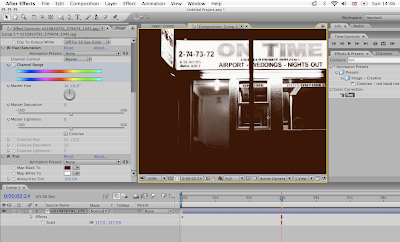
Colour Correction
I've been touching on afew colourising agents in AE, although again barely scratched the surface - there are so many different ways of manipulating a composition. I found that levels and hue/saturation were techniques easily transferred from photoshop, which will be more useful when i start to use video.

BRAINSTORM!
This is a really useful way of previewing multiple outcomes of an effect, in this instance fractal noise. As fractal noise is an effect that contains many parameters the variations are endless, so brainstorming constructs a randomized array of outcomes for you.
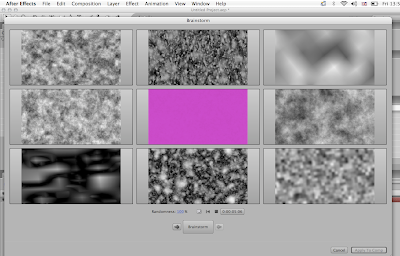 It brings things you may not even have thought possible to attention without impacting on the actual composition - a great tool, especially when you're stuck for ideas.
 It brings things you may not even have thought possible to attention without impacting on the actual composition - a great tool, especially when you're stuck for ideas.
Sunday, March 8

File Browsing
I've found that Bridge is a really useful tool for viewing effects and image sequences before importing them within your composition. 'ffx' files in AE allow Bridge to preview all sorts of presets for synthetics, text, transitions, audio, etc, and i believe it is the only software that can.

Previewing effects rapes my hard-drive to bits, so this method is much more efficient for my computer, and also saves time.

Previewing effects rapes my hard-drive to bits, so this method is much more efficient for my computer, and also saves time.
Friday, March 6
Starter workshop
I went in early doors today for an AE workshop with the technician Mike Flower. Although the things covered were very basic, i came out of it with some useful shortcuts and nesting techniques which will definitely speed up my work-flow. Now that i'm getting into more powerful techniques such as 3D space, his knowledge and feedback will be very useful for the future i'm sure.
Wednesday, March 4
Shattering
Sort've come to the first real hurdle so far - entering 3D space within my learning. I've been using arguably the two most powerful effects within AE; shatter and fractal noise, the latter i will look at more closely later.
Shattering in after effects allows you to animate the 'destruction' of a flat image with a massive, almost intimidating range of parameters at your disposal. It's not that i've come up stuck - (i understand the logistics of navigating with camera, lighting, even the physics parameters), but it's understanding the relationships between all these creative handles that make for the best finished results.


Shattering in after effects allows you to animate the 'destruction' of a flat image with a massive, almost intimidating range of parameters at your disposal. It's not that i've come up stuck - (i understand the logistics of navigating with camera, lighting, even the physics parameters), but it's understanding the relationships between all these creative handles that make for the best finished results.


This was just a quick tester, it's pretty awful but it'll be interesting to see how i can improve my technique from this point.
Wednesday, February 25
Puppeting
This is a pinning technique that can be used to create 'hinges' on still images, in the way that strings are attached to a puppet - thus the name. It creates quite an organic transition, and if used precisely would be a very suitable animation tool. I'd like to explore this further at some point.


Tuesday, February 24
Basic effects
I did some short tests, using effects to create animated content without any stock footage. They consist of distortions, (cornerpins, bulges, twirls, etc) and stylistic glows, light sweeps, and lens flares, although i barely scratched the surface. The basic animation principles were not considered, - this was just a way of experimenting with basic effects parameters.
Monday, February 16
Particular
A short by Druskq for photoshops 'See What's Possible' contest that was made fully in After Effects, with the use of a particle plug-in called 'Particular'. Flowers were hand-drawn and used within that effects-engine, but the rest is basic camera movement parenting to nulls.
Match-Moving
In cinematography, match moving is a visual effects technology to allow the insertion of virtual objects into real footage with the correct position, scale, orientation and motion in relation to the photographed objects in the scene.
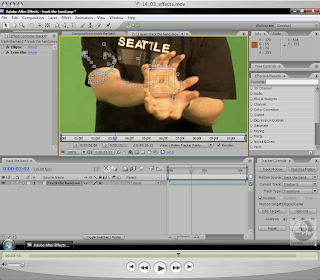
This is really nice work by Druskq again. The footage is essentially tracked and rebuilt into a 3D environment using a powerful piece of match moving software called 'Boujou'. It allows you to completely duplicate both camera movement and depth, and to also composit CG-elements (the light beams in this instance) into the scene.

For example, points closer to the camera move faster, relative to points further away, and based on this difference in speed, the program will be able to derive the relative distance. You end up with a scene full of tracked points (or Nulls), and you'll be able to use these to reference where any CG-elements have been positioned.
The light strokes were actually created in After Effects - moving a light emitter and particular through 3D space. I'm going to run with this over reading week, and see if i can get into a decent position with it for when we get back.
Tuesday, February 10
Basic Principles
I've been re-covering the basics of motion graphics for After Effects, and found it interesting that original principles of animation introduced by Walt Disney and Chuck Jones are still held dear today. Anticipation, Exaggeration, and Follow-Through are considered to be the three most relevant components of animation that, applied well, will provide the impetus that brings it to life. I used the ITV2 logo to try and follow these through with little joy.. However I'm at least starting to become abit more familiar with the layout/interface of the AE just from looking through the tutorials.
Wednesday, January 28
Tutorials.
I've managed to get a complete A-Z tutorial of After Effects off James that covers pretty much everything it can do. I never realised its vast creative opportunity until i began to work through these - really is an amazing bit of kit.


Subscribe to:
Posts (Atom)
